Changing your default name is one of the first things you should do when playing Last Plague: Asylum. You will need to play through some of the tutorial to unlock this option, however once you can do it, I recommend doing this immediately. People with default Doctor names (e.g. Doctor4tW3PlSP) are typically suspected to be bots, and may be unable to join some alliances.
If you're new to the game, you may be wondering how to change this. Let me show you how this is done.
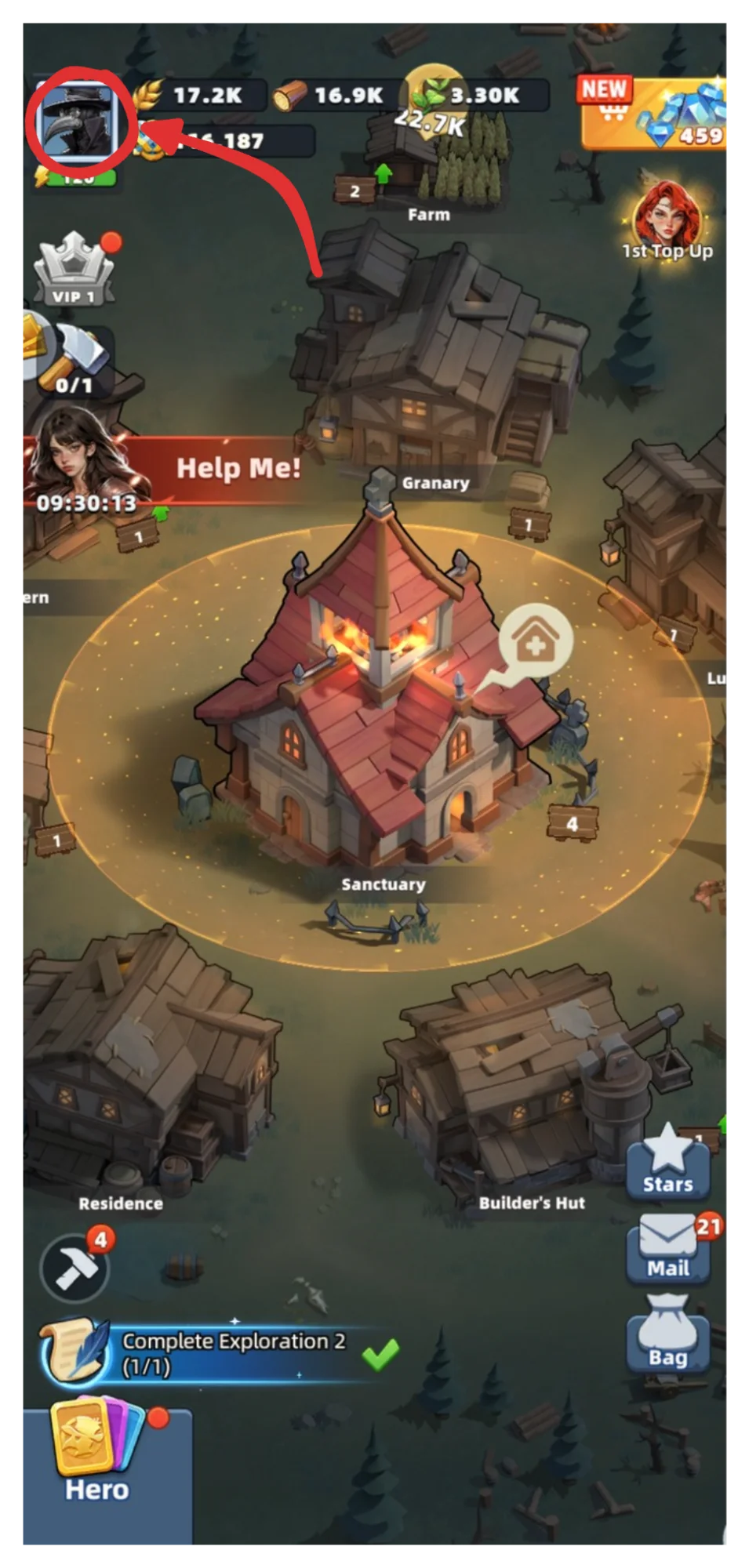
Tap the profile picture icon in the top left
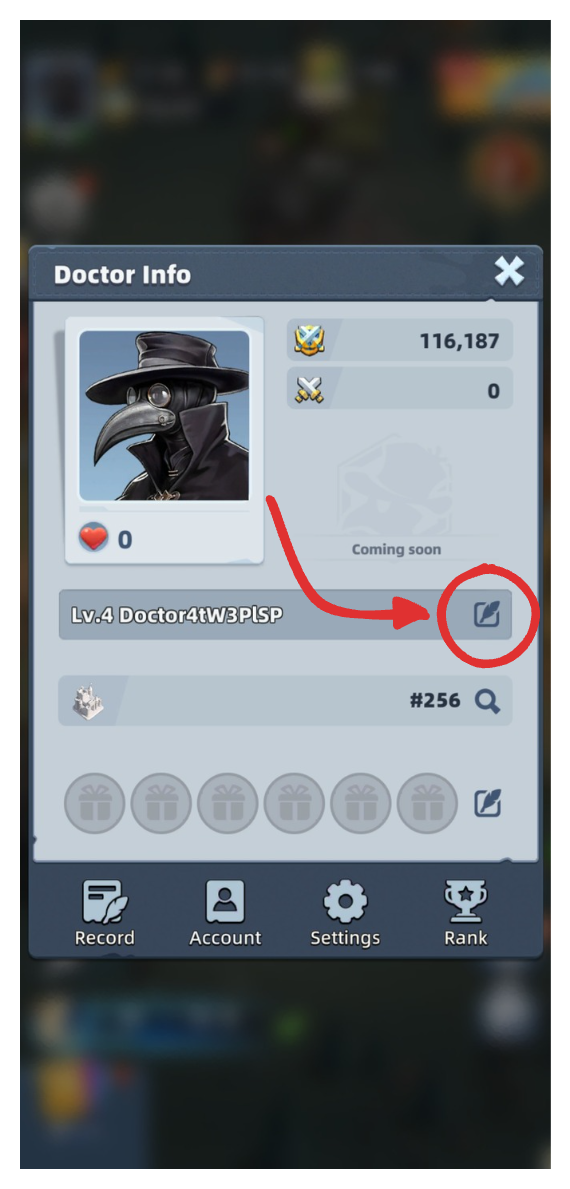
Tap the edit icon to the right of your current name — it looks like a feather in a square box
Tap the input field and enter your new name, then tap Free
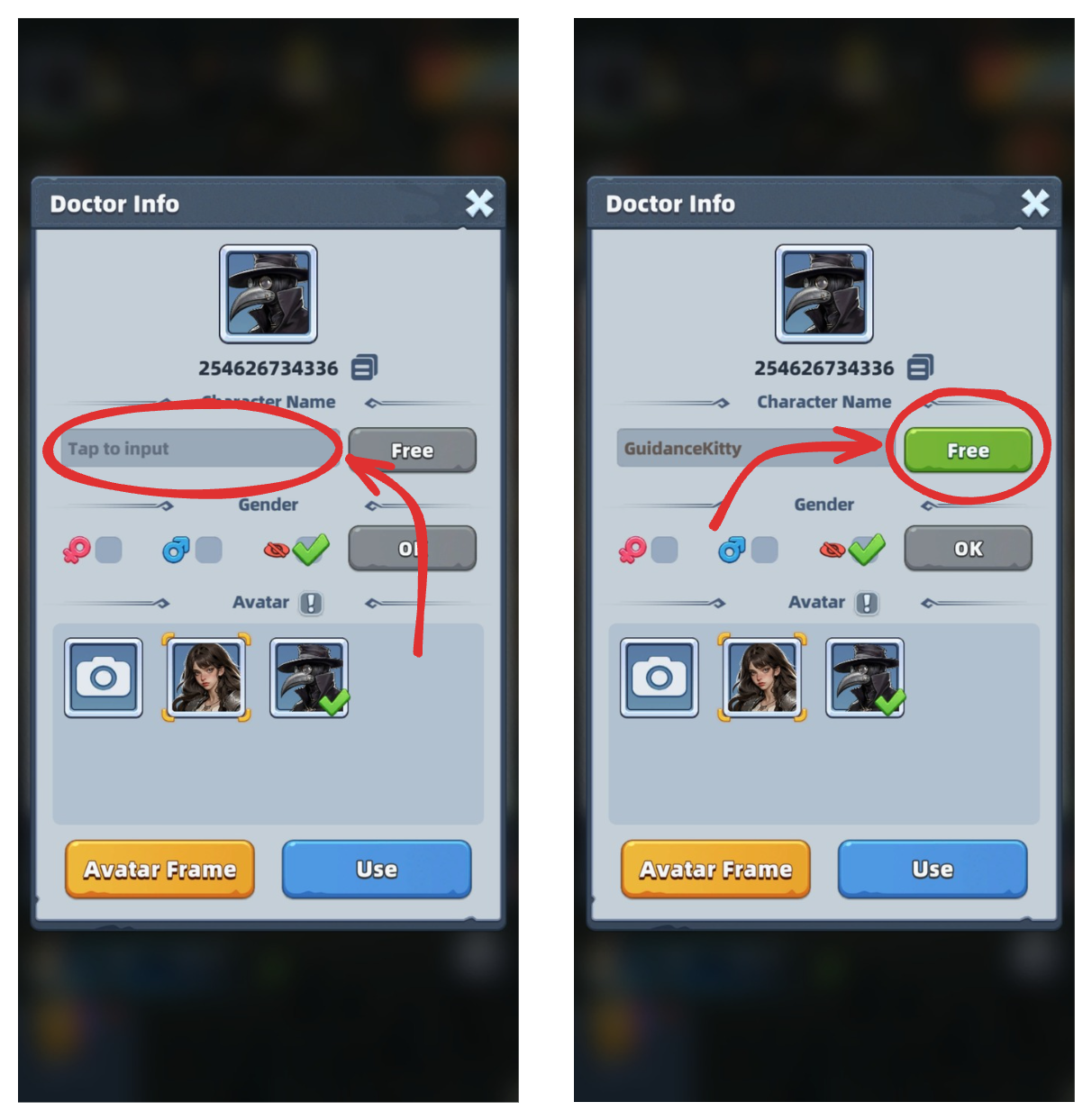
Be sure to pick a good name! This costs 1000 diamonds to change again.
You're all done! Enjoy your fancy new name!
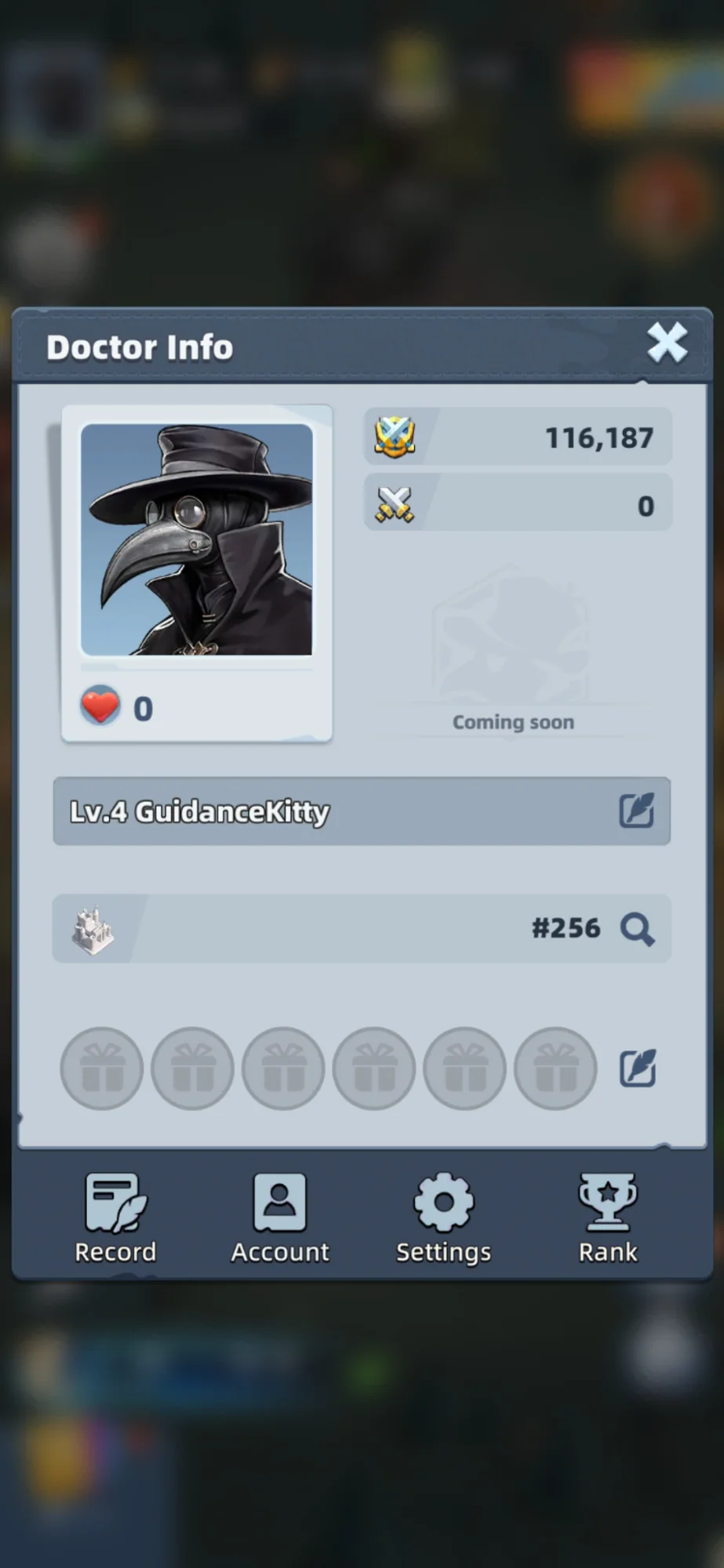
Now you can go out into the world and enjoy your new name. Alliances will be much happier accepting your applications now that you've followed this simple step. You can follow the exact same steps to change your username at any time, just be warned, it's only free the first time.